If you are looking at premium TWS earbuds around ₹20,000, you probably expect more than just good sound. At this price, you want strong ANC, reliable call quality, long battery life, useful smart features and, most importantly, a reason to spend so much instead of buying a cheaper pair.
That is where the JBL Tour Pro 3 becomes interesting.
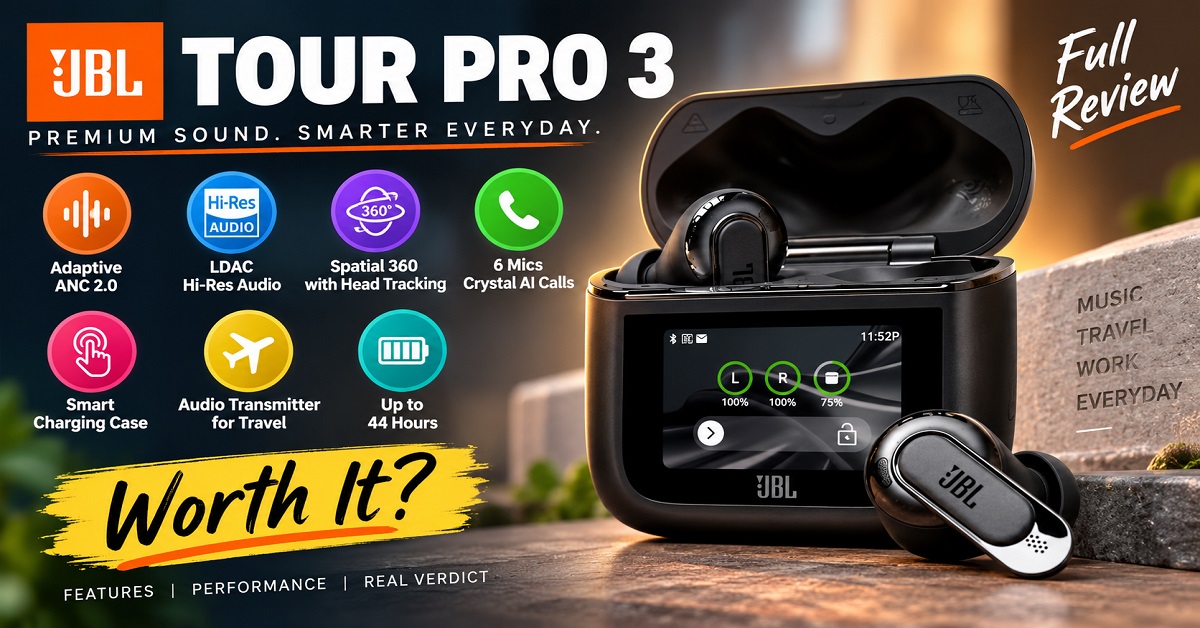
JBL has packed these earbuds with a hybrid dual-driver system, LDAC support, True Adaptive Noise Cancelling 2.0, Spatial 360 sound with head tracking, six microphones and a touchscreen Smart Charging Case. The case can even work as an audio transmitter, which is something you don’t normally find with regular TWS earbuds.
But there is another side to the story.
At around ₹19,999, the Tour Pro 3 is expensive. And while its feature list looks impressive on paper, not every buyer will actually need all of those features.
So, in this JBL Tour Pro 3 review, we’ll look beyond the specifications and focus on the things that matter when you’re actually deciding whether to buy these earbuds: sound quality, ANC, calls, comfort, battery life, the Smart Charging Case, app features and overall value for money.
JBL Tour Pro 3: Quick Verdict
The JBL Tour Pro 3 is one of the most feature-packed premium TWS earbuds you can buy in this price range.
Its biggest advantage is that JBL hasn’t focused on only one area. You get a hybrid driver setup for sound, adaptive ANC for noisy surroundings, six microphones for calls, Spatial 360 audio, LDAC, multipoint connectivity and a touchscreen charging case that does much more than simply charge the earbuds.
The Smart Charging Case is particularly interesting. It has a 1.57-inch touchscreen that lets you control several functions without constantly taking your phone out of your pocket. More importantly, the case can act as an audio transmitter, allowing you to connect the earbuds to devices such as an aircraft entertainment system or a computer.
The catch is value.
If you mainly listen to music, watch YouTube and take occasional calls, you may not use enough of these premium features to justify spending close to ₹20,000.
But if you are a frequent traveller, care about sound quality, want powerful customization and like having advanced features available at your fingertips, the Tour Pro 3 makes a much stronger case for itself.
Our initial verdict: The JBL Tour Pro 3 is a premium TWS for buyers who want the complete package, not simply a pair of earbuds that play music.
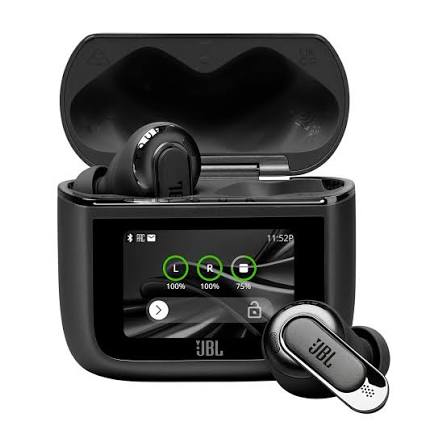
Premium ANC + Smart Charging Case
JBL Tour Pro 3
- Hybrid Dual Drivers with Hi-Res LDAC Audio
- True Adaptive ANC 2.0 + Spatial 360 Head Tracking
- 6-Mic JBL Crystal AI for Calls
- Up to 44 Hours Battery + Smart Touchscreen Case
A premium pair of JBL earbuds for listeners who want high-quality sound, strong adaptive ANC, LDAC, immersive Spatial 360 audio and an unusually capable Smart Charging Case. The Tour Pro 3 is especially interesting for frequent travellers and users who want extensive customization and advanced connectivity features.
JBL Tour Pro 3 Specifications
| Feature | JBL Tour Pro 3 |
|---|---|
| Driver | 10.2mm Dynamic + 5.1mm × 2.8mm Balanced Armature |
| Audio | JBL Pro Sound, Hi-Res Audio |
| Codec support | SBC, AAC, LDAC |
| Bluetooth | Bluetooth 5.3 |
| ANC | True Adaptive Noise Cancelling 2.0 |
| Spatial Audio | JBL Spatial 360 with Head Tracking |
| Microphones | 6 |
| Battery life | Up to 11 hours with ANC off |
| Battery with ANC | Up to 8 hours |
| Maximum total playback | Up to 44 hours |
| Charging case | Smart Charging Case with touchscreen |
| Multipoint | Yes |
| Auracast | Yes |
| Water/dust resistance | IP55 |
| Wireless charging | Yes |
| App | JBL Headphones App |
| Earbud weight | 5.6g each |
| Case weight | 71.8g |
| Colour | Black |
| Price considered in this review | Around ₹19,999 |
JBL’s official specifications confirm the hybrid 10.2mm dynamic driver and balanced armature combination, Bluetooth 5.3, six microphones, IP55 rating, wireless charging and the stated battery figures.
One thing worth noticing is the 44-hour figure.
That doesn’t mean you can continuously listen for 44 hours on the earbuds themselves. JBL rates the earbuds for up to 11 hours with ANC off, while the charging case provides the additional battery needed to reach the claimed 44-hour total. With ANC enabled, the official rating drops to up to 8 hours, and with True Adaptive ANC enabled it can be up to 7 hours.
That’s a much more useful way to understand the battery specification.
What Makes the JBL Tour Pro 3 Different?
There are plenty of premium TWS earbuds with ANC, good microphones and companion apps.
The Tour Pro 3 tries to stand apart with one particular feature:
the Smart Charging Case.
A normal TWS charging case has a fairly simple job. You put the earbuds inside, the case charges them and you carry the whole thing around.
JBL has turned the case into a small control centre.
The Tour Pro 3’s case has a 1.57-inch touchscreen that can be used for functions such as controlling music, managing calls, changing ambient sound settings, adjusting Spatial Sound options and accessing other features without opening the JBL app on your phone.
That can be genuinely useful in situations where reaching for your smartphone is inconvenient.
But the more unusual feature is its audio transmitter.
The Smart Charging Case Can Transmit Audio
Imagine you are sitting on an airplane.
The entertainment system has a headphone output, but your preferred earbuds are completely wireless.
Normally, you would need to use the airline’s wired headphones or find some kind of Bluetooth transmitter.
With the Tour Pro 3, the Smart Charging Case can be used as an audio transmitter. JBL says it can connect to sources such as inflight entertainment systems and PCs and transmit the audio wirelessly to the earbuds.
This is one of those features that sounds like a gimmick until you actually have a situation where it is useful.
For someone who rarely travels, it may not matter at all.
For a frequent traveller, however, it could be one of the features that makes the Tour Pro 3 worth considering over a conventional pair of premium earbuds.
The case also supports Auracast, allowing compatible audio to be shared with nearby devices that support the technology.
So the Smart Charging Case isn’t simply a fancy case with a screen. It adds functionality that can change how you use the earbuds.
Design and Build Quality
The Tour Pro 3 follows the familiar premium in-ear TWS design, but the overall package feels more substantial because of the Smart Charging Case.
Each earbud weighs 5.6 grams, while the charging case weighs 71.8 grams. Together, JBL lists the total weight at 83 grams.
The earbuds also carry an IP55 rating, which gives them protection against dust and water jets. That makes them better suited to workouts and everyday outdoor use than earbuds without a meaningful water-resistance rating.
However, IP55 should not be interpreted as “waterproof.”
You should still avoid deliberately submerging the earbuds or treating them like swimming headphones.
The charging case is arguably the more interesting part of the design. Its touchscreen gives it a different look and purpose compared with ordinary TWS cases.
The trade-off is that the case is heavier than a basic charging case.
That’s not necessarily a problem, but it is something to consider if you prefer an extremely small and lightweight setup.
Comfort and Fit
Comfort is one area where specifications cannot tell the whole story.
The Tour Pro 3 is an in-ear design, so how comfortable it feels will depend heavily on the shape of your ears and the ear tips you choose.
JBL does something useful here by including five sizes of silicone ear tips along with a set of foam tips in the box.
That gives you more flexibility to find a secure seal.
And the seal matters for more than comfort.
A proper fit can also improve passive isolation and help the ANC system work more effectively. If the earbuds don’t seal your ear properly, outside sound can leak in and the bass response can also feel weaker.
So don’t judge the Tour Pro 3’s fit using the first ear tip you try.
Spend a few minutes trying the different sizes.
For a premium pair of ANC earbuds, getting the fit right can make a surprisingly big difference to the overall experience.
What’s in the JBL Tour Pro 3 Box?
JBL includes more than just the earbuds and charging case.
You get:
- JBL Tour Pro 3 earbuds
- Smart Charging Case
- USB Type-C to Type-C cable
- USB Type-C to analogue 3.5mm cable
- USB Type-C charging cable
- Five sizes of ear tips
- One set of foam tips
- Warranty and safety documentation
- Quick Start Guide
The inclusion of the USB Type-C to analogue 3.5mm cable is particularly relevant because of the Tour Pro 3’s audio-transmitter functionality. JBL’s official box contents confirm these accessories.
That means the manufacturer has included the accessories needed to make the transmitter feature useful with traditional 3.5mm audio sources.
Sound Quality: The Main Reason to Consider the JBL Tour Pro 3
The JBL Tour Pro 3 is not using a conventional single-driver setup.
JBL has fitted two different drivers inside each earbud: a 10.2mm dynamic driver and a 5.1mm × 2.8mm balanced armature driver. The dynamic driver is responsible for the lower frequencies and much of the overall musical presentation, while the balanced armature is designed to handle the higher frequencies with greater detail. JBL also supports LDAC for compatible devices.
On paper, that is an impressive setup.
But the important question is not whether two drivers sound more impressive in a specification sheet. The real question is:
Does this setup make music noticeably better?
For a premium pair of earbuds like the Tour Pro 3, that is what matters.
Dual Drivers: What Do They Actually Do?
Think of a single-driver earbud as asking one speaker to handle almost everything you hear.
With the Tour Pro 3, JBL divides the job between two drivers.
The 10.2mm dynamic driver handles the bass and contributes to vocals and the overall body of the sound. The balanced armature driver focuses on the higher frequencies.
This approach can help an earbud deliver a wider range of sound while keeping different parts of the music more clearly separated.
It is particularly useful with tracks containing several instruments at once.
For example, when you’re listening to a song with bass, vocals, guitars, cymbals and electronic effects all playing together, a well-tuned hybrid setup can make it easier to distinguish those elements instead of making everything sound like one combined layer.
JBL itself describes the Tour Pro 3’s dynamic driver as providing bass and vocals while the balanced armature handles the higher notes.
However, driver count alone doesn’t guarantee better sound.
Tuning matters just as much.
That’s why I would not recommend buying the Tour Pro 3 simply because it has “dual drivers.” Its real advantage comes from the combination of the hardware, JBL’s tuning and the customization available through the JBL Headphones app.
How Does the JBL Tour Pro 3 Sound?
The Tour Pro 3 is aimed at listeners who want a more detailed and full-bodied presentation rather than an extremely basic or flat TWS experience.
The larger dynamic driver gives the earbuds plenty of room to produce a satisfying low end, while the balanced armature is intended to bring additional clarity to higher-frequency details.
This makes the Tour Pro 3 particularly interesting for people who listen to different types of music instead of sticking to one genre.
Bass
The bass is one of the areas where the 10.2mm dynamic driver becomes important.
If you listen to electronic music, hip-hop, Bollywood tracks, pop or songs where the kick drum and bass line play an important role, you want the low frequencies to have enough weight without completely covering the vocals.
That’s the balance a premium earbud needs to achieve.
The Tour Pro 3’s hybrid configuration is designed to provide powerful bass while keeping the rest of the sound presentation clear.
And if the default tuning doesn’t match your preference, JBL gives you considerable control through its companion app.
That is important because “good sound” is not identical for everyone.
One listener might prefer heavier bass.
Another might want clearer vocals.
Someone else may want a more balanced presentation for acoustic music.
The ability to adjust the sound means the Tour Pro 3 doesn’t have to remain limited to its factory tuning.
Vocals and Midrange
Vocals are arguably more important than extreme bass or treble for many everyday listeners.
If you mainly listen to podcasts, YouTube videos, acoustic music, interviews or vocal-heavy songs, you want voices to remain clear and natural.
JBL’s hybrid design is intended to give vocals good presence while allowing the higher-frequency driver to handle finer details.
This also becomes useful when listening to music with multiple instruments.
Instead of simply asking whether the earbuds have “strong bass,” a better question is whether you can still hear the singer clearly when the bass and other instruments become more prominent.
That’s one of the areas where a properly tuned premium TWS should separate itself from cheaper models.
Treble and Detail
The balanced armature driver is particularly relevant here.
Higher-frequency sounds include things such as cymbals, certain vocal details, guitar textures and other fine elements in a recording.
JBL says the balanced armature is designed to handle high notes with clarity.
This doesn’t mean that every listener will immediately hear three times more detail simply because a balanced armature is present.
Your source quality, phone, codec, music and even your hearing all play a role.
But the hardware gives JBL more flexibility to create a detailed premium sound signature.
And that’s where the Tour Pro 3 starts making sense as a ₹20,000-class product.
What About LDAC?
This is another major selling point.
The JBL Tour Pro 3 supports LDAC, which is a high-resolution Bluetooth audio codec available on compatible devices. JBL says the earbuds support wireless Hi-Res audio through LDAC and describes it as a 24-bit high-resolution codec.
But there is an important catch.
LDAC doesn’t automatically make every song sound dramatically better.
To take advantage of it, you need a compatible source device and appropriate settings.
For example, if you’re using an Android phone that supports LDAC, you can potentially take advantage of the higher-quality Bluetooth transmission.
If your source doesn’t support LDAC, you won’t suddenly get the benefits just because the earbuds have the feature.
So I would look at LDAC as a useful premium feature, not the sole reason to buy the Tour Pro 3.
For someone who listens to high-quality music and cares about extracting more detail from compatible recordings, it can be worthwhile.
For someone who mainly watches YouTube videos and listens casually, it may not make enough difference to justify the additional cost by itself.
JBL Spatial 360 Sound With Head Tracking
The Tour Pro 3 also includes JBL Spatial 360 sound with head tracking.
This is different from simply making the sound louder or adding more bass.
The idea is to create a more three-dimensional presentation where sounds can appear to come from around you rather than feeling like they’re coming directly from two tiny speakers inside your ears.
With head tracking enabled, the sound field can remain positioned in space as you move your head. JBL says Spatial 360 works with music, movies and games and can transform stereo sound from different sources into a more immersive experience.
Is Spatial 360 Actually Useful?
It depends heavily on what you listen to.
For movies and certain games, spatial processing can make the experience feel more immersive.
Imagine watching a movie where dialogue feels like it’s coming from in front of you rather than simply from inside your left and right earbuds.
That’s where the feature can be interesting.
For music, the result is more subjective.
Some people enjoy the wider presentation.
Others prefer traditional stereo because it sounds more natural to them.
So I wouldn’t consider Spatial 360 a feature that everyone needs.
Instead, think of it as an additional listening mode that makes the Tour Pro 3 more versatile.
The nice thing is that JBL lets you customize the spatial experience for different types of content, including movie, music and game settings.
Noise Cancellation: JBL Tour Pro 3 ANC
Sound quality is only half the story with premium earbuds.
If you’re spending close to ₹20,000, you also expect the earbuds to keep unwanted noise away.
This is where the Tour Pro 3’s True Adaptive Noise Cancelling 2.0 comes in.
The system monitors your surroundings and adjusts the noise cancellation in real time. JBL also allows users to customize the ambient sound experience through the JBL Headphones app.
That “adaptive” part is important.
Instead of having one fixed level of noise cancellation all the time, the earbuds can respond to changes in your environment.
How Useful Is ANC in Everyday Life?
Consider a few common situations.
At home: It can reduce background noise from fans, air conditioners and other continuous sounds.
In an office: It can help reduce the constant background noise around you so you can concentrate on music or work.
On public transport: ANC becomes particularly useful when you’re dealing with continuous engine and road noise.
During travel: This is one of the areas where premium ANC earbuds can be particularly valuable.
The important thing to understand is that ANC works best against consistent low-frequency sounds.
It isn’t a magic switch that makes every sound disappear.
Someone speaking directly next to you, a sudden door closing or a sharp high-frequency sound can still be heard.
That’s normal for ANC technology.
Adaptive ANC and Customization
One advantage of the Tour Pro 3 is that JBL gives you more control than simply switching ANC on or off.
Through the JBL Headphones app, you can adjust the way the earbuds handle ambient sound and noise cancellation. JBL also includes foam tips, which can provide additional passive isolation when you get a good seal.
This combination is worth highlighting.
ANC + a proper ear-tip seal is much more useful than relying on ANC alone.
If the earbud doesn’t fit properly, outside sound can leak around it. That can reduce the sense of isolation and also affect the bass response.
So if you buy the Tour Pro 3, don’t immediately assume that the first ear tip you try is the correct one.
Try the included sizes.
Smart Ambient Sound and Smart Talk
You don’t always want to block the outside world.
If you’re walking outside, waiting at a railway station or talking to someone, you need to hear what’s happening around you.
The Tour Pro 3 includes Smart Ambient functionality that lets you remain aware of your surroundings.
There’s also Smart Talk, which can automatically pause your music and activate the preferred ambient experience when the earbuds detect that you’re speaking.
This sounds like a small feature, but it can be convenient.
Imagine you’re listening to music while working and someone asks you a question.
Instead of taking out an earbud or manually pausing the music, you can speak and let the earbuds respond to that situation automatically.
Whether you actually like this feature will depend on your usage.
Some people will find it extremely convenient.
Others may prefer manually controlling their ambient mode.
Call Quality and JBL Crystal AI
The Tour Pro 3 isn’t designed only for music.
JBL has equipped each earbud with multiple microphones, giving the system six microphones in total. JBL says the setup uses beamforming microphones and its Crystal AI algorithm to improve voice pickup and reduce unwanted environmental noise.
That makes the Tour Pro 3 more suitable for people who regularly use their earbuds for:
- Phone calls
- WhatsApp calls
- Google Meet
- Zoom meetings
- Work calls
- Outdoor conversations
JBL also lists the Tour Pro 3 as Zoom certified.
What About Wind Noise?
Wind is one of the difficult situations for wireless earbuds.
A microphone can pick up the sound of wind hitting the earbud, making your voice difficult for the other person to understand.
JBL specifically highlights the Tour Pro 3’s wind-reduction design and Crystal AI processing for outdoor calls.
Still, it’s worth keeping expectations realistic.
No pair of tiny wireless earbuds can guarantee perfect calls in every environment.
A quiet room is relatively easy.
A busy road with traffic, strong wind and people talking around you is much harder.
The Tour Pro 3 has the hardware and processing to handle these situations better than basic TWS earbuds, but real-world performance will always depend on the environment.
Personi-Fi 3.0: Personalized Sound
Another feature that makes the Tour Pro 3 different from ordinary earbuds is Personi-Fi 3.0.
Instead of assuming that one EQ profile is perfect for everyone, JBL provides a personalization system designed to create a sound profile based on your hearing preferences.
This is particularly useful for people who don’t know how to manually adjust an EQ.
You don’t need to understand terms such as 100Hz, 1kHz or 8kHz to start experimenting with the sound.
The app is designed to help personalize the listening experience.
There are also additional controls for sound and ambient features through the JBL Headphones app.
This is one of the areas where the Tour Pro 3 feels more like a complete audio system than a simple pair of Bluetooth earbuds.
JBL Headphones App
The earbuds become significantly more capable when you use the JBL Headphones app.
JBL provides controls for features such as:
- EQ customization
- Adaptive Noise Cancelling
- Ambient sound
- Gesture controls
- Spatial sound
- Find My Buds
- Fit checking
- Smart Charging Case customization
- Audio and video optimization
The app also allows you to customize the Smart Charging Case display, including its wallpaper and shortcuts.
This matters because the Tour Pro 3 has an unusually large feature set.
Without an app, many of these controls would become complicated.
With the app, you can configure the earbuds according to your preferences and then use the features you actually need.
Connectivity and Multipoint
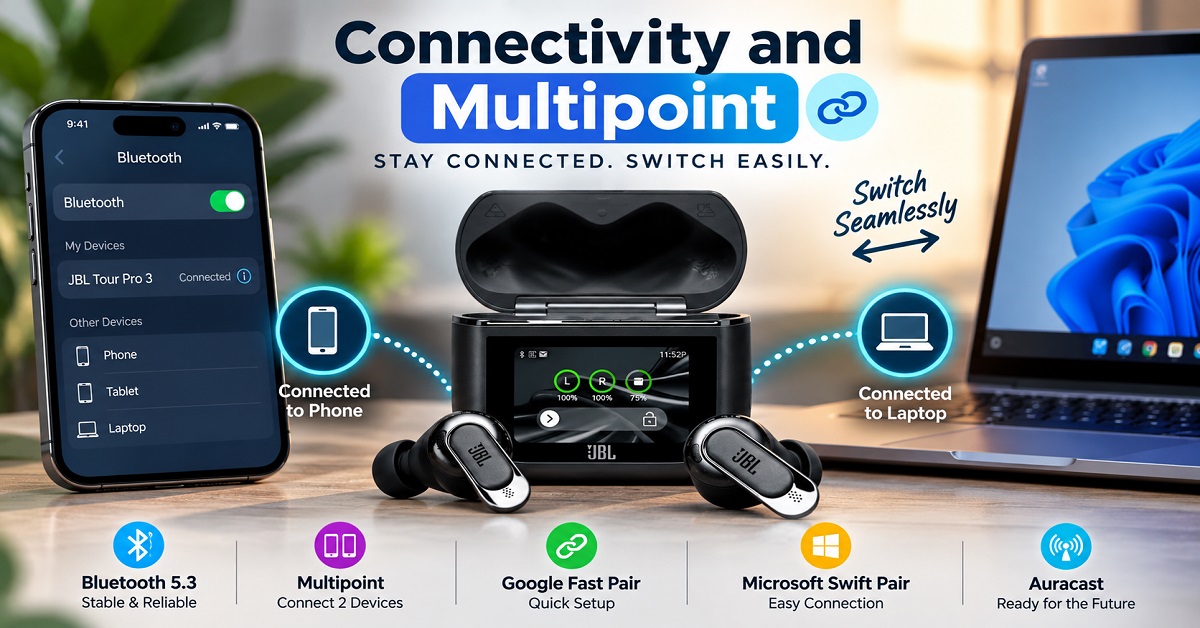
The Tour Pro 3 uses Bluetooth 5.3 and supports multipoint connectivity. JBL also lists Google Fast Pair and Microsoft Swift Pair support.
Multipoint can be particularly useful if you regularly move between two devices.
For example, imagine you’re working on a laptop while your phone is sitting beside you.
You can use the earbuds with your computer and still remain connected to your phone for calls, rather than repeatedly disconnecting and reconnecting the earbuds.
This is the kind of feature that sounds boring compared with “Spatial 360” or “LDAC”, but can actually have more impact on your daily use.
Battery Life: Is 44 Hours Really Possible?
JBL rates the Tour Pro 3 for up to 11 hours of music playback with ANC off.
With ANC enabled, the rating drops to up to 8 hours. With True Adaptive ANC enabled, JBL lists up to 7 hours. The charging case can provide additional charges for a maximum claimed total of up to 44 hours.
This is a strong battery specification.
But again, the conditions matter.
You won’t get 44 hours continuously from the earbuds.
Think of it like this:
If you get roughly 8 hours from the earbuds with ANC enabled, you can put them back into the case when they are low and recharge them from the case.
That’s how the total figure reaches the advertised maximum.
Fast Charging
The Tour Pro 3 also supports speed charging.
JBL says a 10-minute charge can provide up to 3 hours of playback, depending on usage conditions. The earbuds and case take around two hours to fully charge from empty according to JBL’s specifications.
That’s useful for people who forget to charge their earbuds.
For example, if you’re leaving home soon and discover that your earbuds are nearly empty, a short charge can give you enough listening time for a substantial part of the day.
The case also supports wireless charging.
So JBL has covered both convenience and long-term battery use quite well.
JBL Tour Pro 3: Smart Features That Actually Matter
The JBL Tour Pro 3 has a long list of features, but not all premium features are equally useful.
Some are things you may use every day. Others are features you’ll probably try a few times and then forget about.
The Smart Charging Case, multipoint connectivity, adaptive ANC and customizable controls fall into the first category for many users.
Features such as Spatial 360 and Auracast are more dependent on your personal usage.
That distinction is important because you’re paying a premium price for the complete package.
Smart Charging Case: More Than a Charging Case
The touchscreen on the Smart Charging Case is probably the most unusual feature of the Tour Pro 3.
Instead of taking out your smartphone every time you want to change a setting, you can access several controls directly from the case.
You can control music, manage calls and adjust various earbud settings from the touchscreen.
This can be particularly convenient when you’re travelling.
For example, if your phone is inside your bag while you’re travelling, having controls on the case means you don’t necessarily need to take your phone out just to make a quick adjustment.
But there’s another feature that makes the case genuinely different.
Use the Case as an Audio Transmitter
The Smart Charging Case can transmit audio from an external source to the earbuds.
This is especially useful for devices that don’t normally have Bluetooth audio.
Imagine you’re watching a movie on an airplane.
The entertainment system may provide a traditional wired headphone connection. With the Tour Pro 3, you can connect the case to that audio source and then listen through your wireless earbuds.
The same idea can be useful with other wired audio sources such as TVs, PCs and entertainment systems.
This is one of the few features where I can see a premium buyer saying:
“Yes, this is something I would actually use.”
If you travel frequently, the feature could be considerably more useful to you than another small improvement in an already good pair of earbuds.
If you never travel and your devices already support Bluetooth, however, you may barely use it.
Auracast Support
The Tour Pro 3 also supports Auracast, a newer Bluetooth audio-sharing technology.
The basic idea is simple.
Instead of one Bluetooth device sending audio only to one connected pair of earbuds, compatible Auracast systems can broadcast audio to multiple compatible receivers.
The technology is still developing, so its usefulness depends on how widely compatible devices and public broadcasts become available.
Therefore, I wouldn’t buy the Tour Pro 3 specifically for Auracast.
It’s better viewed as future-facing connectivity that you get as part of the package.
Is the JBL Tour Pro 3 Good for Watching Movies?
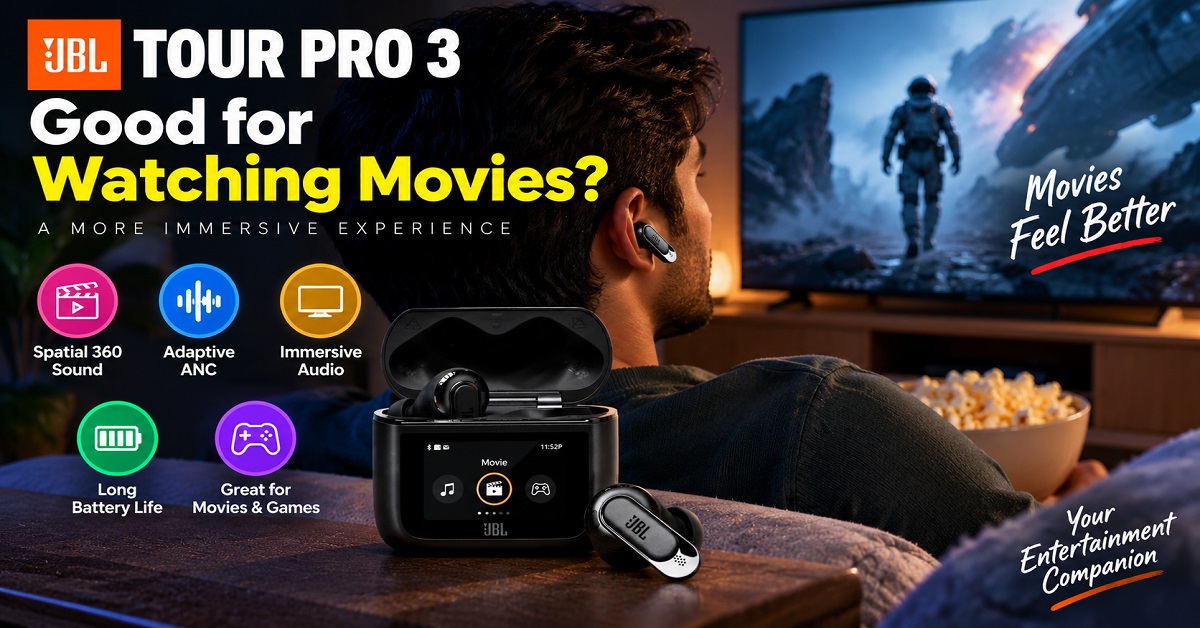
Yes, this is one of the areas where the Tour Pro 3’s feature set can make sense.
You have:
- Strong noise cancellation
- Spatial 360 sound
- Head tracking
- Good battery life
- Customizable sound
- The option to use the case as an audio transmitter
The Spatial 360 mode can create a wider and more immersive presentation than standard stereo.
This can be enjoyable when watching movies, especially when you’re travelling and want a more engaging experience from your phone, tablet or laptop.
The audio-transmitter feature is even more interesting for people who frequently watch movies on flights.
So if you’re a frequent traveller, the Tour Pro 3’s feature set becomes easier to justify.
JBL Tour Pro 3 for Gaming
The Tour Pro 3 also offers features aimed at reducing audio delay.
That’s useful when playing games because noticeable latency can become annoying when the sound doesn’t line up with what is happening on screen.
However, I wouldn’t recommend the Tour Pro 3 as a dedicated gaming headset.
A gaming headset can still offer advantages such as a larger soundstage, a dedicated microphone and gaming-focused connectivity.
The Tour Pro 3 makes more sense if you want one premium pair of earbuds for music, movies, calls and occasional gaming.
That versatility is one of its strengths.
JBL Tour Pro 3 for Work and Video Calls
For someone who works from home or regularly attends online meetings, the six-microphone setup and JBL Crystal AI processing are useful additions.
You can use the earbuds with your laptop and smartphone, while multipoint connectivity makes switching between devices more convenient.
The Smart Charging Case also gives you quick access to controls without opening the app.
This is another example of where the Tour Pro 3’s expensive feature set can make more sense.
You’re not buying it just for music.
You’re using the same earbuds throughout the day for:
Music → meetings → phone calls → YouTube → travel → movies
That’s when a premium TWS starts becoming easier to justify.
JBL Tour Pro 3 for Travel
If I had to identify one type of buyer who gets the most value from the Tour Pro 3, frequent travellers would be near the top of the list.
You get several useful travel features in one package:
- Adaptive ANC
- Long battery life
- Fast charging
- Comfortable in-ear design
- Smart Charging Case
- Audio transmitter
- Ambient sound modes
- Good call functionality
- Spatial audio
- Multiple connectivity options
The audio transmitter is particularly useful for airplane entertainment systems.
And when you don’t want to block everything around you, Ambient Sound gives you the option of remaining aware of your surroundings.
So while a casual listener may look at the Tour Pro 3 and think it’s unnecessarily expensive, a frequent traveller may look at the same feature list and see genuine practical benefits.
JBL Tour Pro 3: Pros and Cons
Pros
- Excellent feature set for a premium TWS
- Hybrid dual-driver system with LDAC support
- True Adaptive Noise Cancelling 2.0
- Spatial 360 sound with head tracking
- Six microphones with JBL Crystal AI
- Smart Charging Case with touchscreen
- Case can work as an audio transmitter
- Up to 44 hours of total playback
- Fast charging and wireless charging
- Multipoint connectivity and Auracast support
- IP55-rated earbuds
- Extensive customization through the JBL Headphones app
- Five silicone ear-tip sizes plus foam tips
Cons
- Expensive at around ₹20,000
- Smart Charging Case is heavier than a basic TWS case
- Many advanced features may be unnecessary for casual listeners
- Spatial audio is a matter of personal preference
- LDAC benefits require a compatible source device
- Battery life varies depending on ANC and other features
- Value for money is questionable for buyers who won’t use the premium features
JBL Tour Pro 3: Who Should Buy It?
The Tour Pro 3 isn’t designed to be the obvious choice for everyone.
It’s designed for a specific type of buyer.
Buy the JBL Tour Pro 3 if you:
Want premium sound with plenty of customization
The hybrid driver setup, LDAC support and JBL’s app-based customization make it suitable for listeners who like experimenting with their sound.
Travel frequently
This is perhaps the strongest reason to consider it.
The ANC, long battery life and audio-transmitter functionality of the Smart Charging Case can be genuinely useful when travelling.
Take lots of calls
The six-microphone system and Crystal AI processing make calls an important part of the Tour Pro 3’s feature set.
Want advanced features
If you enjoy having lots of controls and customization options, the Tour Pro 3 gives you plenty to explore.
Want one pair of earbuds for everything
Music, movies, calls, work, travel and occasional gaming can all be handled by the same pair.
Premium ANC + Smart Charging Case
JBL Tour Pro 3
- Hybrid Dual Drivers with Hi-Res LDAC Audio
- True Adaptive ANC 2.0 + Spatial 360 Head Tracking
- 6-Mic JBL Crystal AI for Calls
- Up to 44 Hours Battery + Smart Touchscreen Case
A premium pair of JBL earbuds for listeners who want high-quality sound, strong adaptive ANC, LDAC, immersive Spatial 360 audio and an unusually capable Smart Charging Case. The Tour Pro 3 is especially interesting for frequent travellers and users who want extensive customization and advanced connectivity features.
Who Should Skip the JBL Tour Pro 3?
This is equally important.
Skip it if you:
Mostly listen casually
If your typical usage is Spotify, YouTube and occasional phone calls, you probably don’t need this many premium features.
Don’t care about LDAC or high-resolution audio
There’s little reason to pay extra for features you’re never going to use.
Don’t travel
The audio-transmitter feature becomes much less valuable if you rarely use airplane entertainment systems or other wired audio sources.
Want the best value for money
This is the biggest concern.
The Tour Pro 3 is a feature-rich premium product, but that doesn’t automatically make it the best-value TWS.
This is also where customer feedback becomes interesting. The feedback you provided shows that buyers generally appreciate the sound quality and customization, while value for money is a major concern.
That makes sense.
The Tour Pro 3 is easier to recommend to someone who will use its advanced features than to someone who simply wants good wireless earbuds.
Is JBL Tour Pro 3 Worth ₹19,999?
This is the question that ultimately matters.
And my answer is:
Yes, but only for the right buyer.
The JBL Tour Pro 3 is not overpriced because it lacks features.
Quite the opposite.
It has an unusually extensive feature set for a pair of TWS earbuds.
You get hybrid drivers, LDAC, adaptive ANC, Spatial 360 with head tracking, six microphones, multipoint, Auracast, extensive app customization and a touchscreen charging case that can even act as an audio transmitter.
The problem is that more features don’t automatically mean better value.
If you are only going to use the earbuds for music and occasional calls, a cheaper pair may give you most of what you actually need.
But if you are a frequent traveller, listen to high-quality music, use ANC regularly, make lots of calls and appreciate advanced customization, the Tour Pro 3 becomes much easier to recommend.
In other words:
The JBL Tour Pro 3 is worth ₹19,999 if you will actually use its premium features.
That’s the key point.
Don’t buy it simply because it has a long specification list.
Buy it because those features solve problems you actually have.
Final Verdict
The JBL Tour Pro 3 is a genuinely premium pair of wireless earbuds, and its biggest strength is not any single feature.
It’s the combination.
You get very capable audio hardware, high-quality wireless audio support, adaptive ANC, spatial audio, a comprehensive companion app, strong connectivity options and an unusually advanced charging case.
The Smart Charging Case is the feature that makes the Tour Pro 3 stand out most clearly from conventional TWS earbuds.
The ability to use it as an audio transmitter is especially useful for frequent travellers, while the touchscreen provides convenient access to controls without always reaching for your phone.
The sound setup is also impressive, with a 10.2mm dynamic driver working alongside a balanced armature driver and support for LDAC.
However, the price changes the conversation.
At around ₹19,999, the Tour Pro 3 isn’t a casual recommendation.
If you’re looking for inexpensive earbuds with good sound, this isn’t the product to buy.
If you’re looking for a premium all-rounder with advanced features, strong ANC, customizable sound and a genuinely useful smart case, however, the JBL Tour Pro 3 is one of the more interesting options in its category.
Our verdict: Recommended for feature-focused premium buyers and frequent travellers, but not the best value choice for casual listeners.
Watch the JBL Tour Pro 3 in Action
Want to see the JBL Tour Pro 3 being used before making your decision? Take a look at the video below to get a better idea of the earbuds, Smart Charging Case, features, sound experience and overall design. After watching the video, come back and continue reading this review for our detailed analysis, pros and cons, and buying recommendation.
Video Credit: Paul’s POV
Frequently Asked Questions
Is JBL Tour Pro 3 worth buying?
Yes, if you want premium sound, strong ANC, LDAC, extensive customization and the unique Smart Charging Case. For casual listeners, a cheaper TWS may offer better value.
Does JBL Tour Pro 3 support LDAC?
Yes. The Tour Pro 3 supports LDAC along with other Bluetooth audio codecs. You need a compatible source device to take advantage of LDAC.
Does JBL Tour Pro 3 have ANC?
Yes. It features JBL True Adaptive Noise Cancelling 2.0, which adjusts noise cancellation according to your surroundings.
How long does the JBL Tour Pro 3 battery last?
JBL rates the earbuds for up to 11 hours with ANC off and up to 8 hours with ANC enabled. The charging case can bring the claimed total playback time up to 44 hours, depending on usage conditions.
Is JBL Tour Pro 3 good for calls?
The Tour Pro 3 has six microphones and JBL Crystal AI processing designed to improve voice pickup and reduce environmental noise. It is therefore well suited to phone calls and online meetings.
What is special about the JBL Tour Pro 3 charging case?
The Smart Charging Case has a touchscreen for controlling various functions and can also work as an audio transmitter. This allows compatible wired audio sources, including aircraft entertainment systems, to transmit audio to the earbuds.
Is JBL Tour Pro 3 waterproof?
The earbuds have an IP55 rating, which provides protection against dust and water jets. They should not be submerged in water.
Does JBL Tour Pro 3 support wireless charging?
Yes. The Smart Charging Case supports wireless charging.
Does JBL Tour Pro 3 support multipoint connectivity?
Yes. The Tour Pro 3 supports multipoint connectivity, allowing it to remain connected to multiple compatible devices.
Is JBL Tour Pro 3 good for travel?
Yes. ANC, long battery life, fast charging, Ambient Sound and the audio-transmitter functionality of the Smart Charging Case make it particularly suitable for frequent travellers.
Does JBL Tour Pro 3 have spatial audio?
Yes. JBL calls the feature Spatial 360 with Head Tracking. It is designed to create a more immersive sound experience for compatible listening situations.
Should I buy JBL Tour Pro 3 or a cheaper TWS?
If you only need good sound, ANC and basic calling, a cheaper model may provide better value. The Tour Pro 3 makes more sense if you specifically want its premium features, especially LDAC, Spatial 360, extensive customization and the Smart Charging Case.
Final Buying Recommendation
Buy the JBL Tour Pro 3 if: you want a premium, feature-rich TWS, travel frequently, care about sound quality and ANC, and will actually use the Smart Charging Case and advanced customization.
Think twice if: you mainly want affordable earbuds for music, YouTube and occasional calls.
At around ₹19,999, the Tour Pro 3 isn’t trying to win on price.
It’s trying to justify its price by giving you more ways to use your earbuds.
And for the right buyer, that’s exactly what makes it interesting.
JBL Tour Pro 3 vs Other JBL Earbuds: Which One Should You Buy?
The JBL Tour Pro 3 is clearly positioned above JBL’s more affordable TWS models.
But that doesn’t automatically mean it is the right JBL earbuds for everyone.
The better question is:
How much do you actually need from your earbuds?
If you want basic wireless listening, paying nearly ₹20,000 doesn’t make much sense.
If you want premium sound, advanced ANC, LDAC, spatial audio, extensive customization and the Smart Charging Case, the Tour Pro 3 becomes much more interesting.
For example, readers who are considering a more affordable JBL option can also check our JBL Wave Flex 2 Review before making a decision.
Likewise, if you’re interested in another JBL model with a different feature and price balance, our JBL Wave Buds 2 Review can help you compare your options.
And if you’re open to competing brands, our Noise Buds N1 Pro vs N2 Pro comparison is useful for readers who are more focused on value.
The point is simple:
Don’t buy the Tour Pro 3 just because it is the more expensive model. Buy it if its extra features are useful to you.
Which JBL Tour Pro 3 Features Are Actually Worth Paying For?
This is probably the most important question in this entire review.
The Tour Pro 3 has a very long feature list, but you don’t necessarily need all of it.
Let’s separate the genuinely useful features from the ones that are more situational.
True Adaptive ANC 2.0
Worth paying for: Yes, if you regularly travel, work in noisy places or use your earbuds in busy environments.
Adaptive ANC can make a noticeable difference to everyday listening because you don’t have to increase the volume simply to overcome surrounding noise.
If you mostly listen at home in a quiet room, however, the benefit is much smaller.
LDAC
Worth paying for: Yes, if you have a compatible phone and care about high-quality wireless audio.
Not particularly important: If you mainly stream casually or use devices that don’t support LDAC.
The Tour Pro 3 supports LDAC, but the feature only becomes useful when your source device and listening setup can take advantage of it. JBL officially lists LDAC support as part of the Tour Pro 3’s Hi-Res wireless audio capability.
Spatial 360 With Head Tracking
Worth paying for: If you enjoy immersive movie, music or gaming experiences.
Less important: If you prefer traditional stereo sound.
This is one of those features where personal preference matters more than specifications.
Smart Charging Case
Worth paying for: Definitely, if you travel frequently.
Less important: If you rarely travel and mostly use Bluetooth from your phone.
For frequent travellers, the audio-transmitter function can be one of the Tour Pro 3’s biggest advantages. JBL specifically supports connecting the case to AUX or USB-C sources such as TVs, PCs and plane entertainment systems.
Personi-Fi 3.0
Worth paying for: If you enjoy customizing your listening experience.
It gives you another way to personalize the sound rather than simply accepting the default tuning.
Six-Microphone Call System
Worth paying for: Yes, if you frequently make calls or attend online meetings.
If you almost never use earbuds for calls, this feature shouldn’t be a major factor in your purchase decision.
JBL Tour Pro 3: Best For Different Types of Users
Instead of giving everyone the same recommendation, here’s how I would look at the Tour Pro 3 based on your usage.
| User type | JBL Tour Pro 3 recommendation |
|---|---|
| Frequent traveller | Excellent choice |
| Music enthusiast | Strong choice |
| Heavy ANC user | Strong choice |
| Frequent caller | Strong choice |
| Movie lover | Excellent choice |
| Casual Spotify listener | Probably unnecessary |
| Budget-conscious buyer | Look at cheaper options |
| Someone who wants maximum features | Excellent choice |
| Someone who wants simple earbuds | Overkill |
This is why the Tour Pro 3 is difficult to label simply as “worth it” or “not worth it.”
Its value depends heavily on what you expect from your earbuds.
Things You Should Know Before Buying JBL Tour Pro 3
There are a few things I would want a buyer to know before spending nearly ₹20,000.
1. Don’t Buy It Only for the 44-Hour Battery Claim
The 44-hour figure is the maximum combined playback time, including the charging case.
JBL rates the earbuds for up to 11 hours with ANC off and up to 8 hours with ANC on. With True Adaptive ANC enabled, the official rating drops to up to 7 hours.
So if you’re buying primarily because you saw “44 hours,” understand what that number actually represents.
For most people, the more useful number is the individual earbud runtime.
2. The Smart Case Is Both a Strength and a Trade-Off
The case adds functionality, but it also adds weight.
The earbuds weigh 5.6g each, while the Smart Charging Case weighs 71.8g. The complete package is listed at 83g.
A regular TWS case may feel simpler and lighter.
The Tour Pro 3’s case is more like a small accessory with its own functionality.
If you appreciate those features, the extra size and weight are reasonable.
If you want the smallest possible case, you may prefer something simpler.
3. LDAC Isn’t Necessary for Everyone
LDAC is a useful feature, but don’t assume you need it just because it is available.
You need a compatible source device and appropriate audio settings to benefit from it.
If you use a device or service that doesn’t take advantage of LDAC, the feature shouldn’t be a deciding factor.
4. The Ear-Tip Fit Matters
This is easy to overlook.
The Tour Pro 3 comes with five sizes of silicone ear tips and one set of foam tips, giving you plenty of options to find a suitable fit.
Try them.
A good seal can improve comfort, passive isolation and the overall ANC experience.
Don’t decide that the earbuds are uncomfortable simply because the first ear tips you tried didn’t work for your ears.
5. IP55 Doesn’t Mean Waterproof
The earbuds have an IP55 rating.
That’s useful protection against dust and water jets, but it doesn’t mean you can wear them while swimming or deliberately submerge them.
For workouts, sweat and everyday outdoor use, the rating is reassuring.
For swimming, it isn’t the right product.
What We Like About the JBL Tour Pro 3
After looking at the overall package, several things stand out.
The Feature Set Is Excellent
It is difficult to find many TWS earbuds that combine:
- Hybrid dual drivers
- LDAC
- Adaptive ANC
- Spatial audio with head tracking
- Six microphones
- Multipoint
- Auracast
- Personi-Fi
- A touchscreen case
- An audio transmitter
- Wireless charging
- Long battery life
That’s a lot of functionality in one product.
The Smart Case Isn’t Just a Gimmick
This is probably our favourite feature because it has a practical use case.
The ability to connect to wired audio sources and transmit the audio to the earbuds can be particularly useful during travel.
JBL specifically designed the case to work with sources such as airplane entertainment systems and PCs.
The Audio Hardware Is Serious
The combination of a 10.2mm dynamic driver and 5.1mm × 2.8mm balanced armature gives JBL a strong hardware foundation for its sound tuning.
Combined with LDAC and the JBL Headphones app, there is plenty of room for listeners to customize the experience.
What We Don’t Like
The biggest weakness isn’t the sound.
It’s the price-to-usefulness ratio.
The Tour Pro 3 can be an excellent product while still being unnecessary for many people.
If you’re not going to use the Smart Charging Case, don’t care about LDAC, don’t use spatial audio and don’t need advanced ANC, you’re effectively paying for features that will sit unused.
That’s why the value question is so important.
A cheaper pair of TWS earbuds may provide everything you actually need.
JBL Tour Pro 3 Price: When Is It a Good Deal?
JBL India currently lists the Tour Pro 3 at ₹19,999, against an MRP of ₹29,999. The official listing currently shows the black version as unavailable directly from JBL.
For an affiliate buyer, however, the important number is the current selling price, not the MRP.
So before buying, check the current Amazon price using the button below.
If Amazon is selling it around ₹20,000, ask yourself whether you will use the premium features.
If there is a significant discount, the value proposition becomes more attractive.
And if the price moves substantially higher than ₹20,000, I’d be more cautious and compare it with other premium TWS options before purchasing.
Check the Current Price
If you have decided that the Tour Pro 3’s features match your needs, you can check the current Amazon price here:
Our Final Rating
| Category | Rating |
|---|---|
| Sound quality | 9/10 |
| ANC | 9/10 |
| Call quality | 8.5/10 |
| Battery life | 9/10 |
| Comfort | 8.5/10 |
| Features | 9.5/10 |
| Smart Charging Case | 9.5/10 |
| Connectivity | 9/10 |
| Value for money | 7.5/10 |
| Overall | 8.8/10 |
The lower value-for-money score is intentional.
The Tour Pro 3 is packed with features, but its price means you need to actually use those features to get your money’s worth.
Final Buying Advice
The JBL Tour Pro 3 is one of those products where the answer becomes clearer when you stop looking at the specification sheet and start thinking about your daily usage.
If you want a simple pair of earbuds for music and occasional calls, don’t spend ₹20,000 just because the Tour Pro 3 has more features.
You can get a much cheaper pair that does the basics well.
But if you want a premium TWS that can become your everyday audio device for music, movies, calls, work, travel and entertainment systems, the Tour Pro 3 makes considerably more sense.
The combination of hybrid drivers, LDAC, adaptive ANC, Spatial 360, six microphones, multipoint connectivity and the Smart Charging Case gives it a level of versatility that cheaper earbuds simply don’t offer.
And the Smart Charging Case is more than a flashy addition.
For the right person, particularly a frequent traveller, it can genuinely solve a problem.
Premium ANC + Smart Charging Case
JBL Tour Pro 3
- Hybrid Dual Drivers with Hi-Res LDAC Audio
- True Adaptive ANC 2.0 + Spatial 360 Head Tracking
- 6-Mic JBL Crystal AI for Calls
- Up to 44 Hours Battery + Smart Touchscreen Case
A premium pair of JBL earbuds for listeners who want high-quality sound, strong adaptive ANC, LDAC, immersive Spatial 360 audio and an unusually capable Smart Charging Case. The Tour Pro 3 is especially interesting for frequent travellers and users who want extensive customization and advanced connectivity features.
So, should you buy the JBL Tour Pro 3?
Buy it if you want a premium, feature-rich TWS and will actually use those features.
Skip it if you mainly want affordable earbuds for everyday music and calls.
At around ₹19,999, the JBL Tour Pro 3 isn’t the obvious value-for-money choice.
It is the choice for someone who wants more than just earbuds.
And that’s ultimately what you’re paying for.
Before You Buy
Check the current price, available offers and return policy before placing your order, because Amazon pricing and stock can change.
Check JBL Tour Pro 3 Price on Amazon
Disclosure: AudioPick may earn a commission if you purchase through our affiliate link, at no additional cost to you. This does not affect our editorial judgment or recommendation.

About the Author
Hari Prasad is the editor of AudioPick.in and a lifelong audio enthusiast. He writes detailed, honest reviews and guides to help everyday users pick the right gear without tech jargon. His personal interest in Bluetooth audio, neckbands, and codecs comes from testing dozens of devices over the past few years.